


Best Free Image Upload Sites for Fast Sharing in 2026
Sharing images online has become an essential part of everyday communication, business operations, digital marketing, and content creation. Whether you are sending product photographs to customers, uploading screenshots for technical support, sharing design previews with colleagues, or publishing images on websites, you need a convenient way to make your pictures accessible. Email attachments and messaging applications can work for occasional sharing, but they are not always the most practical solutions. Large files may exceed attachment limits, messaging platforms may compress photographs, and repeatedly sending the same image to different people can waste time. This is where free image upload sites become useful. These platforms allow users to upload pictures to an online service and share them through links, making image distribution easier across websites, social networks, emails, and messaging applications. Instead of transferring an image separately to every recipient, you can often upload it once and distribute a single URL. This approach is particularly helpful for beginners who want straightforward tools without learning complicated hosting configurations or investing in expensive software.
In 2026, choosing an image uploading service involves more than finding a website with an upload button. Users increasingly care about convenience, file compatibility, privacy, image quality, loading performance, and link reliability. A service that works well for casual screenshots may not be suitable for an online store displaying hundreds of product photographs. Similarly, a photographer sharing portfolio previews may need different features from a customer support agent who only wants to provide a quick screenshot. Some platforms focus on public image galleries, while others emphasize direct links, cloud storage, or temporary file sharing. Free plans can also have restrictions involving file sizes, bandwidth, storage duration, advertising, and account requirements. Understanding these differences helps you avoid selecting a service that does not match your actual needs. For example, a publicly accessible image link may be convenient for a product listing but inappropriate for confidential business documents. Knowing what a platform offers before uploading important files is therefore an essential part of responsible online image sharing.
For individuals and businesses seeking a simple starting point, services such as ImgBly provide an option worth exploring for online image uploading and sharing. The important consideration is not merely whether an image can be uploaded, but whether the resulting sharing method fits your workflow. A small business owner may want to distribute product previews through customer conversations, while a blogger may need image URLs for published content. Students may share visual project materials, developers may exchange screenshots of interface problems, and designers may send draft graphics for review. All these activities benefit from organized, accessible image-sharing processes. However, users should still check each platform's current policies, supported formats, and availability before depending on it for important files. Free hosting should not automatically be treated as permanent archival storage, and publicly shared images should never contain sensitive personal information without appropriate protection.
This guide explores the best free image upload sites for practical online sharing in 2026, explains how different platforms compare, and provides actionable steps for selecting and using an appropriate service. You will learn why image hosting matters, which features deserve attention, how to upload and share photographs efficiently, and what mistakes to avoid. The article also includes a useful selection checklist, answers to frequently asked questions, and recommendations for individuals, marketers, bloggers, and growing businesses. By the end, you should be able to choose a suitable image-sharing approach based on your priorities rather than relying on promotional claims. The goal is to help you share images conveniently while maintaining reasonable expectations about performance, privacy, and long-term accessibility.
Why Choosing the Right Image Upload Site Matters
Selecting the right platform for online image sharing can significantly improve the way individuals and businesses communicate. Images frequently contain information that would take several paragraphs to explain through text alone. A screenshot can demonstrate a software problem, a product photograph can show an item’s condition, and a design preview can help a customer understand a proposed layout. When these files are easy to access, communication becomes more efficient. Free image upload sites make this possible by providing a centralized location for images and allowing users to distribute links instead of repeatedly attaching files. This can be particularly valuable for customer support teams, online sellers, remote workers, and digital marketers who exchange visual information throughout the day. However, choosing an unsuitable platform may introduce broken links, unwanted image compression, inconvenient advertisements, or limitations that interrupt normal workflows. Taking time to evaluate available services can prevent these problems and make everyday sharing more predictable.
One important consideration is image accessibility. A sharing link is useful only when its intended recipients can open the image successfully. Some services generate public image pages, while others provide direct image URLs that may be suitable for embedding into supported websites or applications. These are not always interchangeable. A public viewing page typically contains the image alongside the hosting website's interface, whereas a direct image URL points to the image resource itself. Bloggers and developers may prefer direct links for certain technical workflows, while casual users may find viewing pages easier to share. Before choosing a service, determine whether recipients need to download an image, view it in a browser, embed it in another page, or access a collection of photographs. You should also check whether links remain accessible without logging into an account. If a customer receives a link that requires unexpected registration, the extra step can create unnecessary friction and reduce the effectiveness of your communication.
Performance and image quality are equally important. Large photographs can take longer to load, especially on mobile networks or slower internet connections. Some platforms resize or compress uploaded images, which may improve loading efficiency but can also reduce visual detail. This matters when sharing design proofs, screenshots containing small text, or photographs where accurate details are important. Different image formats also serve different purposes. JPEG is commonly used for photographs, PNG is useful for graphics and screenshots, WebP can provide efficient compression, and GIF supports simple animations. Not every service handles every format in the same way, so users should review supported formats and processing rules before uploading important material. Image optimization before uploading can often improve the experience regardless of which hosting provider you select. Reducing unnecessary dimensions, choosing a suitable format, and using descriptive filenames can make files easier to manage without sacrificing essential quality.
Privacy, reliability, and cost expectations complete the evaluation. A free image hosting platform may offer convenient access without guaranteeing permanent storage or unrestricted usage. Some providers delete inactive content, restrict external embedding, limit traffic, or change free-plan conditions over time. Others are designed for publicly discoverable image sharing rather than private storage. Businesses should read the applicable terms and avoid uploading confidential documents, customer records, identification materials, or sensitive screenshots to publicly accessible services. Keeping independent backups is also important because a hosted link is not a substitute for ownership of the original file. The best free image upload sites are therefore not necessarily those advertising the largest storage allowances or fastest performance. They are the services that meet your actual requirements for accessibility, usability, acceptable quality, privacy, and reasonable continuity. By comparing these factors carefully, you can establish an image-sharing workflow that remains practical as your personal projects or business activities grow.
Best Free Image Upload Sites in 2026: Top 8 Platforms
The market for free image upload sites includes several different types of services, and understanding their strengths can make choosing the right platform much easier. Some services focus on simple uploads and direct links, while others provide photo galleries, social sharing, image optimization, or developer tools. For beginners, the most useful platform is usually one that makes uploading and sharing straightforward without requiring extensive technical knowledge. Businesses may have additional requirements involving image organization, embedding, storage capacity, and predictable access. The following eight platforms represent different approaches to image hosting. They should not be treated as identical products, because their features, limitations, and intended audiences vary. Free-plan conditions can also change, so checking official pricing and documentation before committing to a service is important.
1. ImgBly — Best for Simple Image Uploading
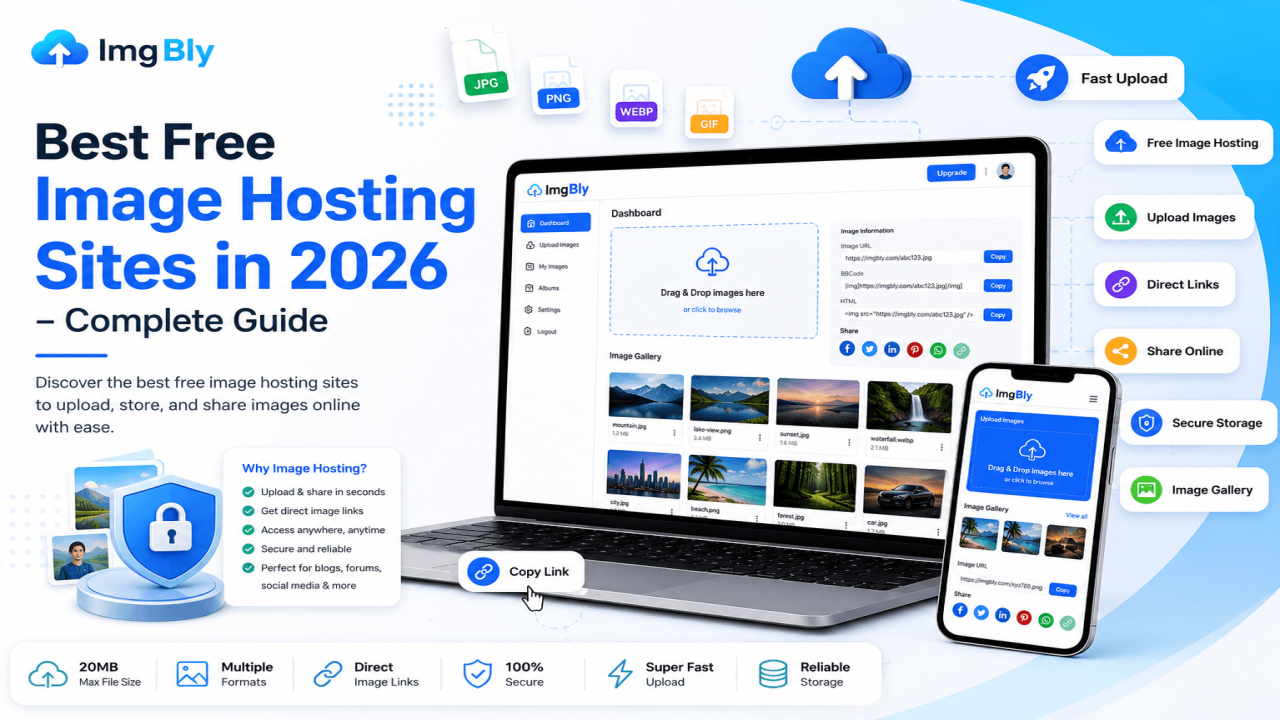
ImgBly is designed for people who want to upload images, generate direct links, and share visual content without a complicated workflow. Its free Starter plan currently lists 2 GB of storage, a maximum file size of 20 MB, and support for uploading two files simultaneously. It also offers direct image links, HTML embedding, BBCode, and password-protected uploads. The upload interface lists JPG, JPEG, PNG, BMP, GIF, and WebP as supported formats. These features make it a practical option for bloggers, online sellers, forum participants, freelancers, and users sharing screenshots. For example, a small business can upload a product photograph and send its link to an interested customer, while a developer can share an interface screenshot with a colleague. ImgBly's published pricing describes images as available for unlimited time, although continued availability remains subject to its service terms. The free plan includes advertisements and defined storage limits, so it should not be described as unlimited free storage.
2. Postimages — Best for Forums
Postimages is a useful option for people who regularly share screenshots, graphics, and photographs in online forums or discussion communities. Its emphasis on image links and embedding makes it suitable for message boards where users want pictures to appear directly within posts. Users can upload an image, obtain a sharing link, and select an appropriate embedding format. This is convenient for technical discussions, gaming communities, hobby groups, and support forums. However, users should review the service's current resolution and hotlinking restrictions, particularly when displaying large images externally. Forum-friendly hosting is not necessarily the same as a professional image delivery service. For important website assets, a dedicated hosting or content delivery solution may offer more control.
3. ImgBB — Best for Quick Everyday Sharing
ImgBB is another recognizable option among free image upload sites. It focuses on straightforward image uploading and provides links that users can share through websites, forums, and messages. Its image-sharing tools can be helpful when someone needs to send a screenshot, product preview, or visual reference without creating a complicated file-sharing process. The service is particularly relevant to beginners who prefer an upload-focused interface. Before using it extensively, check the current file-size allowance, account features, image retention options, and any restrictions on external embedding. A quick upload service can be convenient for everyday communication, but it should not automatically replace an organized backup system.
4. Imgur — Best for Community Sharing
Imgur combines image hosting with a community-oriented publishing experience. Users can upload images and GIFs, create posts, and share content through links. Its official help documentation distinguishes between uploading an image and creating a public community post, which is an important difference for anyone concerned about visibility. A person who simply needs to share a screenshot may not want to publish it as community content. Imgur can be useful for memes, visual discussions, entertainment communities, and casual sharing. However, it is not always the ideal choice for business-critical website assets or confidential images. Users should understand how visibility settings work and review the platform's content and retention policies before uploading.
5. ImageKit — Best for Website Performance
ImageKit is designed for media management, optimization, and delivery. Unlike basic image-sharing websites, it offers capabilities intended for developers and website operators who need greater control over how images appear online. These capabilities can be valuable for businesses that publish many product images, website graphics, or other visual assets. Optimized delivery can help reduce unnecessary file weight and improve the experience of visitors using slower connections. However, ImageKit requires more setup and technical understanding than a simple upload-and-copy service. Its free usage is also subject to defined limits. Beginners who only want to share occasional screenshots may find its additional tools unnecessary, while growing websites may benefit from the greater flexibility.
6. Cloudinary — Best for Developers
Cloudinary provides cloud-based media management, image transformations, and delivery tools. It is particularly relevant to developers building websites and applications that require automated image processing. For example, an application may need to generate different image dimensions for desktop and mobile visitors or deliver optimized formats based on browser support. Cloudinary can support workflows of this kind, but its credit-based usage model and technical features may require more learning than beginner-oriented image hosts. Businesses considering it should estimate their expected storage, transformations, and delivery usage before selecting a plan. It is better viewed as a media infrastructure platform than merely a place to upload a picture and send a link.
7. Flickr — Best for Photography Portfolios
Flickr focuses on photography, albums, visual discovery, and community interaction. It is useful for photographers who want to organize and present collections rather than share isolated screenshots. Users interested in showcasing travel photography, creative projects, or personal portfolios may appreciate its gallery-oriented approach. However, free-account restrictions and commercial-use policies must be reviewed carefully. A photography community platform is not necessarily suitable for serving product images on a commercial website. Flickr is therefore better considered when presentation, organization, and photographic engagement are priorities.
8. imgpile — Best for Occasional Larger Uploads
imgpile is another option for uploading pictures and obtaining shareable image links. It may appeal to people who want a relatively simple service without the complexity of a full media-management platform. Its support for image URLs and embedding makes it relevant to forum users and people sharing graphics online. However, image processing can affect uploaded files, and users should not assume that every original file will remain unchanged. Always compare the downloaded or displayed result with the original when exact quality matters.
The key lesson is that the best free image upload sites serve different purposes. ImgBly is worth considering for straightforward direct-link sharing, Postimages for forums, Imgur for community content, Flickr for photography galleries, and ImageKit or Cloudinary for more technical website workflows. These distinctions matter more than declaring one service universally superior.
Step-by-Step Guide: How to Upload and Share Images Online
Uploading an image to an online hosting service is usually straightforward, but following a consistent process can help you avoid problems with file compatibility, sharing permissions, and image quality. The first step is to prepare the image you want to share. Locate the original file on your computer or mobile device and confirm that it contains the correct content. If you are uploading a screenshot, inspect it carefully for visible passwords, private messages, customer details, or other information that should not be shared. If the image is intended for a website or marketing campaign, check its dimensions, clarity, and file format. JPEG is often suitable for photographs, while PNG is useful for screenshots and graphics containing fine text. WebP may be appropriate when smaller file sizes are desirable and the destination supports the format. Give the file a descriptive name, such as product-front-view.jpg, rather than leaving an unclear camera-generated filename. This makes files easier to recognize and manage later.
Next, open your preferred image hosting platform and find its upload interface. On ImgBly, the website provides a drag-and-drop upload area and an option to browse files from your device. You can select an image and submit it through the available upload controls. Before uploading, check whether the file meets the service's size restrictions. ImgBly's published free plan currently allows files up to 20 MB, with a limit of two simultaneous uploads. If your image exceeds the limit, consider resizing or compressing it before trying again. For example, a photograph captured at a very high resolution may contain far more pixels than necessary for viewing in a browser. Reducing its dimensions appropriately can make the file easier to upload and share. Avoid excessive compression, however, because it can make text unreadable or remove important visual details. When uploading multiple images, keep related files organized and consider whether the platform provides account-based management features that will make them easier to find later.
After selecting the file, review any available privacy or deletion options before completing the upload. Some image hosts provide public links by default, while others offer password protection or additional access controls. ImgBly displays password-protection and automatic-deletion controls in its upload interface. These options can be useful when their behavior matches your requirements, but users should not assume that a password-protected upload provides the same protection as a dedicated confidential document-sharing system. If the image contains sensitive information, choose a service specifically designed for private access rather than relying on obscurity or an unpredictable URL. Once the upload finishes, the platform should provide one or more sharing options. Depending on the service, these may include a public viewing page, a direct image link, HTML code, or BBCode. A public page is generally convenient for sending through messaging applications, while direct image URLs may be useful for compatible embedding workflows. HTML and BBCode are designed for environments that support those formats.
The final step is to test the link before distributing it. Copy the appropriate URL and open it in a separate browser window. For public images, testing in a private browsing window can help reveal whether the recipient will unexpectedly need to sign in. Confirm that the image loads correctly, appears at a suitable size, and displays the intended content. If you plan to embed the image on a website, test the embedding method in the actual publishing environment. Some websites block external images, and some hosting services restrict hotlinking. A successful upload does not automatically guarantee that an image will appear correctly everywhere. Once testing is complete, share the link through the relevant communication channel. For business use, maintain a simple record of important uploaded images, their URLs, original filenames, and intended purposes. Keep a separate copy of the original image on a reliable storage system. This process makes free image upload sites more useful and reduces the risk of losing access to important visual material.
Common Mistakes to Avoid When Using Free Image Upload Sites
One of the most common mistakes people make when using free image upload sites is assuming that every uploaded image will remain accessible forever. A platform may advertise long-term hosting, but its terms can include restrictions relating to prohibited content, account status, storage policies, or service changes. Free services may also experience interruptions, remove inactive material, or revise their offerings. This becomes a serious problem when a business relies on externally hosted photographs for important product pages, documentation, or promotional materials. If an image disappears, visitors may see a broken image icon instead of the intended content. The practical solution is to maintain independent backups and avoid depending entirely on a single free service for essential assets. Store original photographs in a separate location and keep a record of the URLs used on your website. For business-critical content, consider hosting arrangements that provide stronger operational control and documented service commitments.
Another frequent mistake is uploading images without reviewing their contents. Screenshots may reveal email addresses, account identifiers, private conversations, internal dashboard information, or customer records. Photographs can also contain location metadata or identifiable background details. Once an image is uploaded to a publicly accessible service, its link may be forwarded beyond the original intended audience. Even when a service offers password protection, you should carefully evaluate whether it is suitable for the information involved. Before uploading, crop unnecessary areas, remove sensitive details, and check whether the image contains metadata that should not be distributed. Do not upload material that you lack permission to share. Copyright ownership, customer confidentiality, and workplace policies remain relevant regardless of whether the hosting service is free. Responsible image sharing protects both the uploader and the people represented in the content.
Poor image optimization is another avoidable problem. Beginners sometimes upload extremely large photographs when a much smaller file would provide the same practical value. This can increase upload time and make the image slower to view. The opposite mistake is compressing an image so heavily that its important details become difficult to understand. Product photographs should clearly show the item, while instructional screenshots should preserve readable interface text. Choose image dimensions based on the intended display size and select formats appropriate to the content. JPEG is commonly suitable for photographic material, PNG works well for many screenshots, and WebP can be effective for supported web workflows. Avoid converting files repeatedly between lossy formats because quality may deteriorate. If the hosting platform automatically processes uploaded images, inspect the result before sharing it with customers or publishing it in documentation.
Users also make mistakes when copying the wrong type of sharing link. A link to an image-viewing page may not function as a direct image resource in an HTML image element. Similarly, BBCode intended for a forum may appear as ordinary text in a platform that does not support it. Before sharing, identify whether your destination needs a normal URL, direct image URL, HTML embed, or another format. Test the result in the actual destination rather than assuming compatibility. Another issue is choosing a service solely because it advertises free unlimited hosting. Storage limits, file-size restrictions, advertising, bandwidth policies, and content retention rules can all affect usability. Comparing these conditions helps you avoid unexpected interruptions. Finally, avoid treating free image hosting as a complete image-management strategy. Organize originals, use consistent filenames, review access permissions, and periodically check important published links. These simple habits can prevent broken images, privacy problems, and unnecessary work while helping individuals and businesses use image hosting more effectively.
Practical Checklist for Choosing an Image Upload Platform
A practical checklist can help you compare free image upload sites without becoming distracted by promotional language. Begin by identifying the main purpose of your uploads. If you only share occasional screenshots with friends or coworkers, a straightforward upload service may be enough. If you publish images in forums, support for BBCode and direct links could be important. Bloggers may prioritize HTML embedding and predictable link accessibility, while photographers may value galleries, albums, and image presentation. Businesses operating online stores may need more control over image delivery, organization, and performance. Write down your primary requirements before comparing platforms. This makes it easier to distinguish necessary features from optional extras. A service with many advanced tools is not automatically better if those tools make simple tasks unnecessarily complicated. Likewise, a basic upload website may be insufficient when your project grows into a large commercial operation.
Next, evaluate the technical requirements of your images. Check supported formats, maximum file sizes, simultaneous upload limits, and any restrictions on image dimensions. If you work with screenshots, confirm that text remains readable after uploading. If you share photographs, examine whether the service preserves acceptable visual quality. For animated content, verify that GIF support works as expected. Consider how recipients will access your images. Do they need direct URLs, download options, public viewing pages, or embedded images? A platform that provides the wrong type of link may create additional work even when uploading itself is easy. Test the service using a small collection of representative files rather than relying only on feature descriptions. Upload a photograph, a screenshot, and any other format relevant to your workflow. Then open the generated links on different devices or browsers to check basic compatibility.
Privacy and reliability should be included in the same evaluation. Determine whether uploads are publicly accessible, whether password protection is available, and whether the service provides deletion or account-management controls. Read the terms of service and understand how uploaded content may be handled. If a service promises indefinite storage, remember that this does not necessarily mean an unconditional guarantee. Consider what would happen if an important image became unavailable. Would you be able to replace it quickly from your backups? Would customers lose access to essential product information? If the consequences are significant, choose a more controlled hosting arrangement. Also check whether external embedding is permitted, because some platforms restrict the use of hosted images on third-party websites. Free image hosting can be useful for sharing, but a professional website may require stronger control over availability and delivery.
Finally, compare convenience and long-term suitability. A beginner-friendly platform should make uploading, copying links, and finding previously uploaded images reasonably simple. Advertising may be acceptable for occasional personal use but less desirable in certain professional workflows. Account requirements, storage management, and upgrade options may become more important as usage increases. Rather than selecting a service based only on its advertised maximum capacity, consider whether its everyday experience matches your needs. The following checklist provides a quick way to review your choice before uploading important content.

Comments (0)