


Best Free Image Hosting Sites in 2026: Complete Guide
Some image hosts are designed for quick screenshot sharing. Others are better for forums, photography portfolios, website assets, developer projects, or images that need direct URLs. Free plans can also differ significantly in file-size limits, storage, compression, privacy controls, bandwidth, and how long files remain available.
If you're comparing the best free image hosting sites in 2026, the right choice depends less on which platform has the longest feature list and more on what you intend to do with the images after uploading them.
This guide compares practical options including ImgBly, Postimages, ImgBB, Imgur, ImageKit, Cloudinary, Flickr, and imgpile. The comparison is based on information available from their official websites and documentation as of September 2026.
What Is an Image Hosting Site?
An image hosting service stores an image on its servers and gives you a URL that can be used to access or share it.
For example, you might upload a screenshot and receive a direct image URL. Instead of attaching the screenshot repeatedly, you can send that URL to coworkers, customers, forum members, or friends.
Depending on the platform, you may also receive:
- A direct image link
- HTML embed code
- BBCode for forums
- Gallery or album links
- Password-protected sharing
- API access
- Image resizing or transformation options
Image hosting shouldn't be confused with ordinary cloud storage. Services designed around files and backups often emphasize folders, synchronization, and document storage. Dedicated image hosts usually make uploading, embedding, and sharing an image through a URL much easier.
For developers, there is another category: image-delivery platforms such as Cloudinary and ImageKit. These combine hosting with features such as CDN delivery, transformations, optimization, APIs, and media management.
Best Free Image Hosting Sites in 2026: Quick Comparison
Image HostBest ForNotable Free FeaturesMain LimitationImgBlySimple direct image hosting2 GB storage, 20 MB per file, direct links, HTML and BBCode embeds, password protectionFree plan includes ads and has storage/upload limitsPostimagesForums and message boards32 MB uploads, hotlinking, gallery sharing, API allowanceFree hotlinked images are limited to 1280px; not designed for highly private storageImgBBQuick everyday uploads32 MB uploads, direct image links, BBCode and HTML thumbnailsLarger files and several advanced features require ProImgurCasual and community sharingSupports images, GIFs and short videos; generous individual file limitsLarger images can be recompressed or convertedImageKitWebsites and small developer projects3 GB media storage, 20 GB monthly bandwidth, media delivery toolsAccount required and free usage has fixed limitsCloudinaryDevelopers needing transformations and APIsUpload API, media library, transformations and CDN deliveryCredit-based limits are more complex than a basic image hostFlickrPhotographers and public portfoliosPhoto organization, albums and photography communityFree accounts are limited to 1,000 items and can't be used for commercial activityimgpileLarge files and no-signup sharingGuest uploads, direct URLs, HTML/BBCode, files around 97 MBFree images may be resized or re-encoded; originals aren't guaranteed
There isn't one winner for every use case. A blogger embedding screenshots has different requirements from a photographer building a gallery or a developer serving thousands of optimized website images.
1. ImgBly — Best for Simple Direct Image Sharing
ImgBly is a practical option when your main requirement is straightforward: upload an image, receive a direct URL, and share or embed it somewhere else.
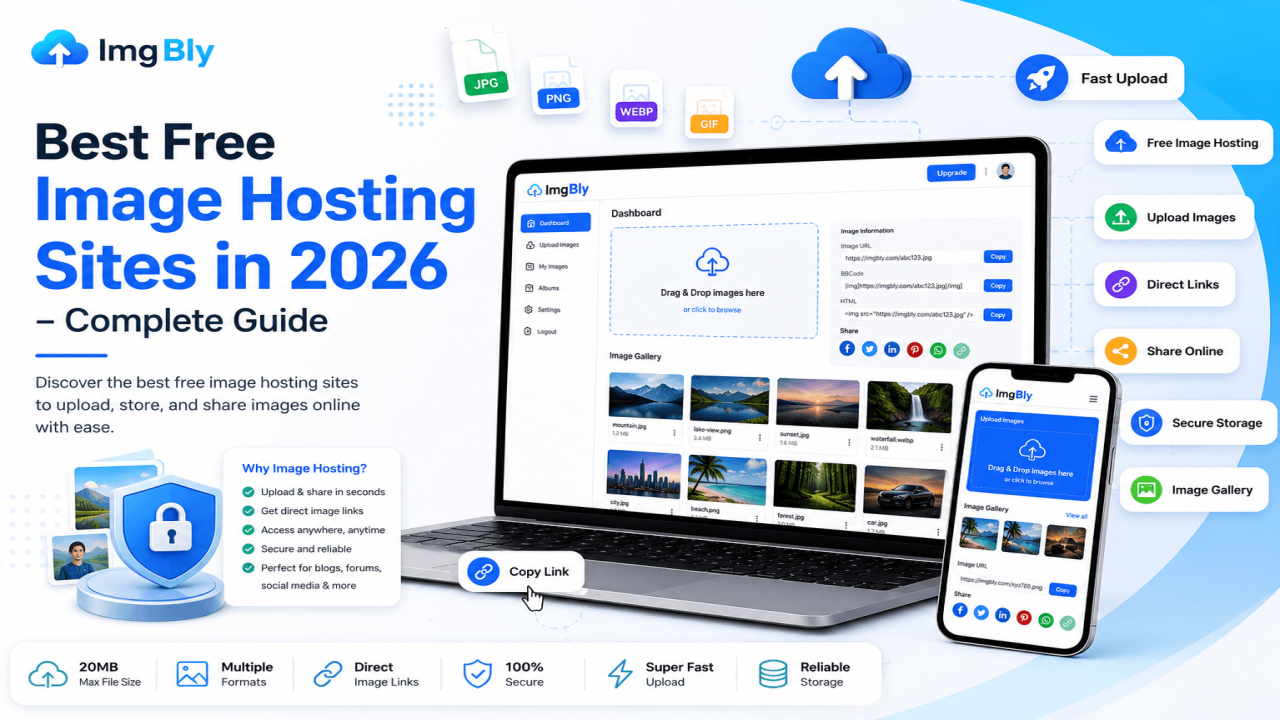
The current free Starter plan lists 2 GB of storage, a 20 MB per-file limit, uploads of two files at once, direct image links, HTML embeds, BBCode embeds, password-protected files, and files listed as available for unlimited time. Supported formats shown on the upload page include JPG, JPEG, PNG, BMP, GIF, and WebP.
That combination makes ImgBly suitable for things such as:
- Blog screenshots
- Forum images
- Design previews
- Product-photo sharing
- Documentation images
- GIF sharing
- Customer-support screenshots
- Images that need HTML or BBCode
One particularly useful distinction is that ImgBly isn't primarily a social network. If your goal is simply to host an image and copy its URL, you don't need to treat the upload as a public social-media post.
When ImgBly makes sense
Use ImgBly when you value simplicity and direct sharing more than advanced image processing.
For example, imagine you're answering a technical question on a forum. Uploading the screenshot to an image host lets you paste the supplied BBCode rather than trying to attach the original file manually.
A blogger can similarly use a direct URL where appropriate, while someone sending a design preview can share the hosted image instead of repeatedly attaching a large file.
ImgBly also lists password protection for hosted files, which can be useful when you don't want an ordinary public sharing page. However, password protection shouldn't be treated as a substitute for specialized confidential-document storage or end-to-end encrypted file sharing.
2. Postimages — Best for Forums and Message Boards
Postimages has remained strongly focused on the classic image-hosting workflow: upload an image and get code that can be pasted elsewhere.
Its free plan currently supports images up to 32 MB. The service also lists free image hosting, ad-supported pages, an API allowance of 1,000 units per month, and hotlinked images up to 1280 pixels.
That makes it especially practical for:
- Forum posts
- Community support threads
- Message boards
- Blog discussions
- Screenshot sharing
- Simple galleries
Postimages also states that free uploads aren't removed simply because of inactivity. At the same time, its own FAQ specifically warns that people needing strong privacy for an image collection should consider a service designed for private storage.
The hotlinking limitation matters
If you plan to embed high-resolution photography or detailed website graphics, pay attention to the free plan's 1280px hotlink limitation.
That may be perfectly adequate for a forum screenshot but less suitable when you need the original resolution embedded into another website.
Best choice for: people who regularly post images in forums and need ready-to-use sharing formats.
3. ImgBB — Best for Fast, Familiar Image-to-Link Uploads
ImgBB keeps the basic uploading process uncomplicated.
Its current uploader lists a 32 MB maximum image size and provides direct image links, BBCode, and HTML thumbnail options. Users can drag and drop files, paste images, select files from their computers, or add image URLs.
ImgBB can work well when you need:
- A screenshot URL
- Images for a forum post
- A quick photo-sharing link
- HTML thumbnail code
- Small image albums
An account becomes more useful if you want to manage uploads later rather than treating them as one-time anonymous uploads.
The paid plan raises the per-image limit to 64 MB and advertises additional features such as image replacement and API access, so people with heavier workflows should check whether the free tier covers what they actually need.
Best choice for: users who want a straightforward, established image-upload interface without needing developer-oriented tools.
4. Imgur — Best for Casual and Community-Focused Sharing
Imgur is somewhat different from traditional image hosts because image sharing and community discovery are major parts of the service.
Its official help documentation currently lists a 50 MB maximum for non-animated images and 200 MB for animated images and video, with video limited to 180 seconds. Imgur also has an upload limit of 50 images per hour.
However, file handling deserves attention.
Imgur says PNG images larger than 5 MB are converted to JPEG. It also applies lossy compression to non-animated images above certain thresholds—over 1 MB for anonymous uploads and over 5 MB for account holders.
That means Imgur isn't necessarily the ideal choice when exact preservation of your uploaded file matters.
It works better for:
- Memes
- Casual screenshots
- Images intended for discussion
- Community content
- GIFs
- Short visual clips
It is less attractive for precision design assets, original photography archives, or website graphics where unexpected compression could matter.
Another practical limitation: Imgur says you can't replace an uploaded image while retaining the same URL.
Best choice for: casual public sharing rather than long-term management of business-critical website assets.
5. ImageKit — Best Free Option for Small Websites and Apps
ImageKit moves beyond simple image hosting into media management and delivery.
Its Forever Free plan currently includes 3 GB of Digital Asset Management storage and 20 GB of bandwidth per month, with a 25 MB image upload limit. The free tier is positioned for smaller websites, apps, experiments, and side projects.
Unlike anonymous image hosts, ImageKit requires an account.
The advantage is a more structured workflow. You can maintain a media library, use URLs for media delivery, and work with image-processing features rather than simply storing a file and receiving a link.
ImageKit makes more sense for:
- Small websites
- Web applications
- Developer projects
- Media libraries
- Optimized image delivery
- Projects likely to grow beyond basic sharing
The free tier isn't unlimited. Its documentation notes that bandwidth and storage are measured against the plan allowances, so a website with significant traffic should monitor usage instead of assuming free hosting will scale indefinitely.
Best choice for: developers and website owners who need more control than a conventional upload-and-share host provides.
6. Cloudinary — Best for Developers Who Need Image Transformations
Cloudinary is another option aimed more at programmable media than casual screenshot sharing.
Its free plan currently provides 25 monthly credits and includes capabilities such as an upload widget, API access, search, image and video transformations, media management, and CDN delivery.
Cloudinary's credit system combines different types of usage. One credit can correspond to 1 GB of managed storage, 1 GB of image bandwidth, or 1,000 transformations, depending on how the account uses its allocation.
Its plan comparison currently lists a 10 MB maximum image file size on the free tier.
Cloudinary is therefore better suited to a project where you might need to:
- Resize images dynamically
- Crop images programmatically
- Convert formats
- Manage media through APIs
- Deliver images through a CDN
- Build image uploads into a website or app
For someone who simply wants to send a screenshot link to a friend, this would probably be unnecessary complexity.
Best choice for: development projects requiring programmatic image management and transformations.
7. Flickr — Best for Photographers and Public Photo Collections
Flickr shouldn't be evaluated in exactly the same way as ImgBly, ImgBB, or Postimages.
It's primarily a photography and photo-sharing platform rather than a lightweight direct-link host.
Flickr's current free-account rules allow up to 1,000 uploaded items, while non-public content is limited to 50 photos or videos. Free accounts are restricted to Safe content and aren't permitted to post commercial content.
Those rules make Flickr more suitable for:
- Photography portfolios
- Public photo collections
- Albums
- Discovering other photographers
- Photography communities
They also make it less suitable for a business looking for a free repository for commercial product images.
If you're a photographer trying to present a body of work, Flickr may offer more value than a bare direct-image host. If you're trying to embed screenshots into technical documentation, it probably isn't the most efficient choice.
Best choice for: photographers whose priority is presentation and photo organization.
8. imgpile — Best for Larger Anonymous Uploads
imgpile is worth considering when no-signup uploading and comparatively large files are priorities.
Its FAQ lists image and video uploads up to 97 MB per file, with up to 50 files in one upload. It provides direct URLs plus HTML and BBCode, while an account is optional for ordinary web uploads.
There is an important tradeoff, though.
The service's Premium comparison explains that free images may be capped or re-encoded and that preservation of the exact original file isn't guaranteed. Premium is the tier that explicitly guarantees originals and permanent retention.
So the service can be useful for sharing large screenshots or visual files, but it may be inappropriate if you need byte-for-byte preservation of the original.
Best choice for: quick anonymous sharing of larger files when exact original preservation isn't essential.
How to Choose the Right Free Image Host
Looking only at storage capacity can lead to the wrong decision. Consider the complete workflow.
1. Decide whether you need a direct image URL
A share page and a direct image URL aren't the same thing.
A share page displays the image inside the host's website. A direct URL points to the actual image resource and can often be used inside HTML, Markdown, forum BBCode, documentation, or applications.
For embedding images, direct URLs are usually much more useful.
ImgBly, Postimages, ImgBB, and imgpile are particularly oriented toward this style of sharing.
2. Check what happens to large images
A 20 MB upload allowance doesn't necessarily mean the host will preserve the original 20 MB image exactly.
A service may:
- Compress it
- Resize its dimensions
- Convert its format
- Limit the version used for hotlinking
- Preserve the original only on paid plans
This matters for designers and photographers far more than it does for someone sharing an ordinary screenshot.
Imgur, for example, documents several situations in which larger files are compressed or converted.
3. Don't treat free image hosting as your only backup
Even when a service currently advertises long-term or unlimited availability, policies and free plans can change.
Keep your original images somewhere you control.
For important business files, a sensible workflow is:
Original file → your backup/storage → image host → public or embedded copy
If the hosted version disappears one day, you still retain the source.
4. Consider privacy before uploading
A difficult-to-guess URL isn't the same as private storage.
Avoid putting highly sensitive documents, confidential records, private identification, or anything else that shouldn't be exposed onto a general-purpose public image host.
Password protection can add a useful access barrier where supported, but it doesn't automatically provide the same security model as specialized encrypted document storage.
Postimages itself advises users with strong privacy requirements to consider a service designed for private storage.
5. Check commercial-use restrictions
A free account may be fine for personal images but inappropriate for commercial use. Flickr is a clear example: its current free-account rules prohibit commercial activity.
Anyone hosting product photos, advertising creatives, client assets, or website graphics should check the service's current terms before building a workflow around it.
6. Think about future traffic
An image displayed once in a forum post and an image loaded 100,000 times from a busy website have completely different bandwidth requirements.
For low-volume sharing, a traditional host may be enough.
For a production website or application, a platform designed for media delivery—such as ImageKit or Cloudinary—can give developers better tools for managing bandwidth, transformations, and optimization.
Free Image Hosting and Website SEO: What Actually Matters?
Using an external image host does not automatically improve your Google rankings.
What matters is whether search engines can discover the image, understand its context, and load it properly.
Google recommends embedding important images with standard HTML image elements. Google can discover images referenced through the src attribute of an <img> element, while CSS background images aren't indexed in the same way.
Google also supports responsive image approaches such as srcset and <picture>, while recommending that a normal src fallback still be present.
For a basic website image, your markup might conceptually contain:
<img
  src="https://image-host.example/photo.jpg"
  alt="Customer dashboard showing monthly traffic"
  width="1200"
  height="800"
>
Useful alt text describes the image rather than stuffing keywords into the attribute.
MDN also recommends specifying image width and height because doing so allows the browser to reserve layout space before the file loads, helping reduce unexpected layout movement.
Google additionally allows externally hosted image URLs in image sitemaps. For CDN-hosted images, Google recommends verifying ownership of the CDN domain in Search Console when possible.
That last point is important: with a free third-party image host, you normally don't control its domain. For SEO-critical images on an established commercial site, hosting under infrastructure or a domain you control may eventually provide more flexibility.
Practical Example: Choosing the Right Platform by Use Case
Suppose four people are all searching for “free image hosting,” but their needs are different.
A forum user wants to upload a screenshot and paste BBCode into a troubleshooting thread. ImgBly, Postimages, ImgBB, or imgpile would fit naturally.
A photographer wants organized albums and a public portfolio. Flickr is more relevant, provided the free-account restrictions fit the intended use.
A developer wants user-uploaded profile pictures to be resized automatically for several screen sizes. Cloudinary or ImageKit is closer to that requirement than a conventional free upload site.
A blogger wants direct URLs for occasional screenshots without configuring a developer platform. ImgBly's direct links and HTML/BBCode options make more sense than setting up an image-processing API.
The “best” host therefore depends on what happens after the upload.
Common Free Image Hosting Mistakes
Uploading the only copy of an important image:
- Always retain your original file elsewhere. A hosted link is distribution, not a complete backup strategy.
- Ignoring image compression
- If exact visual quality matters, check whether the free plan resizes, converts, or recompresses uploads.
- Assuming “free forever” means policies can never change
- A plan may currently be free without guaranteeing that every limit or feature will remain identical permanently.
- Uploading enormous PNG files unnecessarily
- A screenshot that can be stored efficiently as WebP or an appropriately compressed JPEG doesn't need to consume several megabytes.
- File size matters because larger images take longer to transfer and can make websites feel slower. Google specifically recommends balancing image quality with page-loading performance.
- Forgetting alt text when embedding images
- The hosting service gives you the file. Your webpage still needs appropriate HTML.
MDN notes that alt provides a textual replacement for an image and is important for accessibility as well as situations where the image can't be displayed.
Using a photo-sharing platform for a developer problem
If you need dynamic resizing, APIs, CDN delivery, and transformations, use a service built around those needs rather than forcing a basic image host into the workflow.
Which Free Image Hosting Site Should You Choose?
For everyday image uploads and direct sharing, ImgBly is a strong practical option because its free tier combines direct image URLs, HTML and BBCode embeds, common image-format support, password protection, and a simple upload workflow.
For other requirements:
- Choose Postimages for forum-oriented hosting.
- Choose ImgBB for straightforward image-to-link sharing.
- Choose Imgur when community sharing is part of the goal.
- Choose ImageKit for small websites and developer projects.
- Choose Cloudinary when transformations and APIs matter.
- Choose Flickr for photography collections and community exposure.
- Choose imgpile when anonymous uploads and larger files are priorities.
Before committing to any free platform for important work, check its current limits and terms. Free hosting is most useful when its restrictions match your workflow rather than when you're constantly working around them.
Frequently Asked Questions
What is the best free image hosting site in 2026?
There isn't one best option for every user. ImgBly is well suited to straightforward direct image hosting and sharing, Postimages works particularly well for forums, Flickr focuses on photographers, and developer-oriented services such as ImageKit and Cloudinary provide more advanced media-delivery tools.
Can I get a direct image URL for free?
Yes. Several free hosts provide direct image URLs. ImgBly currently provides direct links along with HTML and BBCode embed options on its free Starter plan.
Can I use free image hosting for my website?
Yes, but check bandwidth, hotlinking, compression, commercial-use rules, and retention policies first. For a small blog, occasional externally hosted images may be fine. For business-critical or high-traffic assets, a dedicated media-delivery service or infrastructure you control is generally easier to manage over the long term.
Is free image hosting private?
Not necessarily. Public image hosting should generally be treated as public or shareable storage unless the platform explicitly provides access controls. Don't upload sensitive material simply because the generated URL looks difficult to guess.
How long do free image hosts keep images?
It varies. ImgBly currently lists free Starter files as available for unlimited time, while Postimages says images aren't removed simply because of inactivity. Other platforms have different retention policies or guarantees, so check the current terms before relying on a link long-term.
Will external image hosting improve SEO?
Not automatically. Google can index images hosted on another domain, but good HTML, descriptive context, accessible alt text, responsive delivery, image quality, and page performance remain important.
What is the difference between image hosting and cloud storage?
Image hosting is generally optimized for publishing and sharing images through links or embed codes. Cloud storage is typically designed for storing and organizing many kinds of files, syncing devices, collaborating, and maintaining private folders.
Should I use free image hosting for product photos?
It can be useful for sharing product previews or images in messages, documentation, and low-volume pages. For a major e-commerce catalog, however, reliability, bandwidth control, optimization, backups, URL stability, and commercial-use terms become much more important than simply finding a free upload service.
How can I upload an image online instantly without registration?
If you want to upload and share images quickly without creating an account, choose an image-hosting service that supports guest uploads and direct sharing links. For a practical step-by-step explanation, read How to Upload Image Online Instantly Without Registration.
Final Thoughts
The best free image hosting sites in 2026 serve very different audiences. For quick image uploads, direct URLs, HTML embeds, BBCode, and straightforward sharing, ImgBly provides a useful balance without requiring the complexity of a developer-focused media platform. Postimages and Filesharer offer similarly convenient sharing workflows, while Imgur is more community-oriented.
Developers should look more closely at ImageKit and Cloudinary, and photographers may find Flickr's presentation and community tools more useful than traditional image hosting.
Whichever service you choose, remember three rules: keep backups of important originals, understand the free plan's limitations, and never assume public image hosting is the right place for sensitive files.
Choosing based on those practical requirements will matter far more than simply picking the platform with the biggest advertised limit.

Comments (0)